Midjourney Negative Prompts: Fix 8 Common Errors
Midjourney negative prompts, done right. Learn how --no really works, why it backfires, and the 8 fixes for bad hands, text, and clutter that actually hold up.
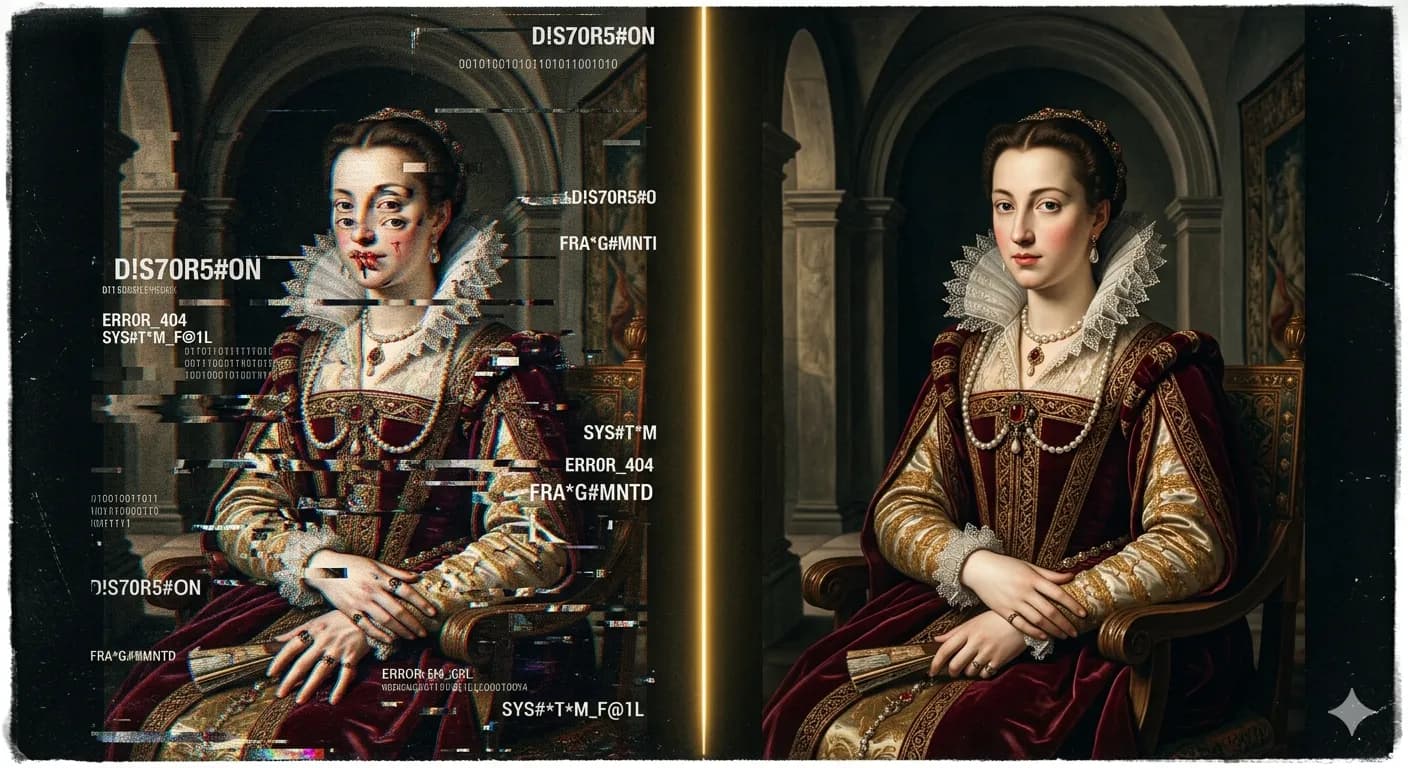
Midjourney negative prompts are the fastest way to remove the junk a model keeps adding — stray text, extra fingers, a crowd you never asked for. They're also the fastest way to make an image worse, because the --no parameter doesn't work the way most people assume. Get one detail wrong and you'll strip out things you wanted to keep.
This guide fixes that. You'll see exactly how --no parses your words, the one gotcha that quietly sabotages compound negatives, eight common errors with the prompts that fix them, and — just as important — when to skip negatives entirely.
Table of contents
- How --no actually works in Midjourney
- The --no token-split gotcha
- 8 common errors and the Midjourney negative prompts that fix them
- When NOT to use --no
- Frequently asked questions
How --no actually works in Midjourney
Midjourney negative prompts tell the model what to push away from. You add one with the --no parameter at the end of your prompt:
a quiet library reading room, warm lamplight, wooden shelves
--no people, text
That asks the model to steer away from people and text. Simple enough. The trouble starts when you assume --no reads phrases the way you do. It doesn't — and that's the root of almost every failure with Midjourney negative prompts.
One thing that's changed: on V8.1, the current default model, prompt adherence is much better than it was on V6, and anatomy in particular improved a lot. That means you need fewer Midjourney negative prompts than you used to. The reflex to bolt --no deformed hands onto every prompt is a V6 habit; on V8.1, you often don't need it. Reach for negatives when something persistently shows up, not pre-emptively.
The --no token-split gotcha
Here's the single most important thing in this guide, and the thing most tutorials get wrong.
--no modern clothing does not mean "no modern clothing."
Midjourney splits that into separate tokens — --no modern and --no clothing — and acts on both. So instead of "remove modern-style clothing," the model hears "remove modern things" and "remove clothing." You can end up with a stripped-down, oddly timeless image that's nothing like what you intended.
This is why a negative that seems perfectly reasonable backfires. The fix is to think in single tokens or compound concepts the model treats as one unit:
--no text✅ — one token, does exactly what you expect.--no watermark✅ — a single concept the model understands whole.--no modern clothing❌ — splits intomodern+clothing, removing both.
If you genuinely want two things gone, name them deliberately: --no modern --no clothing makes the split explicit and intentional. But more often, the lesson is to reconsider what you're actually trying to remove and pick a cleaner negative.
⚠️ Watch Out:
--no modern clothing doesn't work as one phrase. Midjourney splits it into --no modern AND --no clothing — removing both concepts separately. Keep negatives to single tokens, or split them deliberately with separate --no flags.
This token-split behavior is a Midjourney platform fact, not a bug you can argue with. Once you see it, half of your "why did --no ruin my image" mysteries solve themselves — and it's the reason most Midjourney negative prompts that look fine on paper misfire in practice.
Single tokens, deliberate splits, knowing when a negative helps and when it backfires — getting every --no right, every time, is a lot to hold in your head. Suvio handles negative-prompt construction so you don't have to.
8 common errors and the Midjourney negative prompts that fix them
Here are the eight problems Midjourney negative prompts get used for most, each with the negative that actually fixes it.
1. Extra fingers and deformed hands. The classic. Add --no extra fingers, deformed hands. Caveat worth repeating: V8.1 is significantly better at anatomy by default, so try the prompt without this first — you may not need it, and over-negating hands can stiffen the pose.
2. Unwanted text, watermarks, and signatures. Generators love to scrawl fake text. Use --no text, watermark, signature, logo. These are all single, well-understood tokens, so they behave predictably.
3. Blurry or soft output. When you wanted crisp and got mush, combine a negative with a parameter: --no blur, soft focus plus --style raw --s 100-200. The negative discourages softness; --style raw pulls the model toward your literal description.
4. Unwanted people or crowds. For empty scenes that keep filling with extras, --no people, crowd does the job. Single tokens again, so no split trap.
5. Over-stylized when you want realism. If the model keeps "arting up" a shot you wanted photographic, --no painting, illustration, cartoon combined with --style raw pulls it back toward realism.
6. Background clutter. Busy, distracting backgrounds respond to a two-part approach: --no clutter, busy background and a positive instruction like "clean, minimal background." Negatives remove; positives direct. Use both.
7. The token-split trap. Covered above, and it's on this list because it's an error, not a technique — compound negatives like --no bright colors parse as bright + colors and can strip color entirely. Keep negatives to single tokens or make the split deliberate.
8. Over-reliance on negatives. The most common error of all: stacking ten negatives to fix a prompt that's just under-specified. Often the positive prompt is the real fix (next section). If your --no list is longer than your actual prompt, something's backwards.
Here's the whole list as a quick reference you can keep next to your prompt:
| Problem | The --no fix | Note |
|---|---|---|
| Extra fingers / deformed hands | --no extra fingers, deformed hands | Try without it first — V8.1 anatomy is better by default |
| Text, watermarks, signatures | --no text, watermark, signature, logo | Single tokens; behave predictably |
| Blurry / soft output | --no blur, soft focus + --style raw --s 100-200 | Pair the negative with a parameter |
| Unwanted people / crowds | --no people, crowd | For scenes you want empty |
| Over-stylized, you wanted realism | --no painting, illustration, cartoon + --style raw | Pulls back toward photographic |
| Background clutter | --no clutter, busy background + "clean background" in the prompt | Remove and direct |
| Token-split trap | Single-token negatives, or split deliberately | --no bright colors parses as bright + colors |
| Over-reliance on negatives | Tighten the positive prompt instead | If your --no list is longer than the prompt, rethink |
💡 Pro Tip:
For blur, don't lean on the negative alone. Combine --no blur, soft focus with --style raw --s 100-200 — the negative discourages softness while --style raw pulls the render toward your literal description. The pair beats either one on its own.
For the parameters that pair with your negatives — --style raw, --s, and the rest — the Midjourney parameters cheat sheet has the current V8 values. And if your negatives are fighting a poorly ordered prompt, fix the structure first with the 5-part Midjourney prompt structure formula.
When NOT to use --no
This is the part that separates reliable prompting from cargo-culting --no onto everything.
V8.1 is genuinely good at following positive instructions, which means specificity often beats negation. The best Midjourney negative prompts are frequently the ones you don't write — instead of fighting the model with a negative, you remove its room to add the thing in the first place.
Classic example. You keep getting a dog you didn't want:
a cat --no dog
Often worse than just describing the scene tightly:
a cat sitting alone on a sunlit windowsill, no other animals
in frame
When the positive prompt leaves no gap, there's nowhere for a dog to appear.
The rule of thumb:
- Use
--nofor persistent artifacts the model adds regardless of your wording — text, watermarks, logos. - Use positive specificity for scene control — what's in the frame, how many, where.
Negatives are a scalpel for stubborn junk, not a steering wheel for composition. Reach for them last, not first. Used this way, Midjourney negative prompts stop being a source of surprises and become a precise tool you pull out only when you need it.
🧠 Remember:
Use --no for persistent artifacts the model keeps adding regardless of wording — text, watermarks, logos. Use positive specificity for scene control. A tight positive prompt usually beats a stack of negatives.
⚡ Try This:
Take a prompt where the model keeps adding something unwanted. Instead of reaching for --no, rewrite the positive prompt to be specific enough that there's no gap for it — "a cat sitting alone on a windowsill" instead of "a cat --no dog." Compare the two and see which holds up.
If you're newer to all of this, the negatives make a lot more sense once you understand the whole structure — start with the complete guide to AI prompt engineering, and if you're on the latest model, the 7 big changes in Midjourney V8 prompts explains why you need fewer negatives than you used to. Want to see what the difference looks like in practice? See real before/after examples in the gallery.
There's no need to bookmark an external glossary for this — the behavior above is the whole of how --no works on current Midjourney. When something behaves unexpectedly, it's almost always the token split, an over-stacked negative list, or a positive prompt that left a gap.
Frequently asked questions
How do Midjourney negative prompts work?
Midjourney negative prompts use the --no parameter at the end of a prompt — --no text, people — to tell the model what to steer away from. The key catch: --no splits multi-word phrases into separate tokens, so --no modern clothing removes both "modern" things and "clothing," not "modern clothing" as a unit.
Why is my --no making the image worse?
Almost always the token-split gotcha. A compound negative like --no bright colors parses as bright + colors and can strip color entirely. Use single-token negatives (--no text), or make the split deliberate with separate --no flags.
How do I fix bad hands in Midjourney?
Try the prompt without any negative first — V8.1 handles anatomy much better by default. If extra fingers persist, add --no extra fingers, deformed hands, but don't over-negate, which can stiffen the pose.
How do I remove text or watermarks from Midjourney images?
Use --no text, watermark, signature, logo. These are single, well-understood tokens, so they behave predictably without the split problem.
Is it better to use a negative prompt or rephrase the positive prompt?
Use --no for persistent artifacts the model keeps adding regardless of wording (text, watermarks). Use positive specificity for scene control — "a cat sitting alone on a windowsill" beats "a cat --no dog," because a tight positive prompt leaves no gap for the unwanted element.
Do I need negative prompts on Midjourney V8.1? Less than you used to. V8.1's improved prompt adherence means many shots need no negatives at all. Reach for Midjourney negative prompts when something shows up persistently, not as a pre-emptive habit carried over from V6.
Keep reading
Midjourney Prompt Structure: A 5-Part Formula
A repeatable Midjourney prompt structure — the 5-part formula that turns a blank box into the on-target image you pictured, with a before/after for each part.
Midjourney Portrait Prompts: 11 That Actually Work
11 Midjourney portrait prompts that work in 2026 — copy-paste them, then learn the lens, lighting, and stylize choices that make a portrait look real.
Midjourney Parameters Cheat Sheet: Complete 2026 V8
This Midjourney parameters cheat sheet covers every flag — --ar, --stylize, --chaos, --sref — with V8 defaults, version compatibility, and visuals.